I was
playing Patapon. Things were going well, but when I came to the desert,
my tactics began to fail. I repeated the trusted sequence of button
pushes, but my warriors continued to burn to death in the sun; I failed
the level; I tried again. I could not glean from the game if my timing
was off, if I was using the wrong sequence, or if something completely
different was wrong. I put the game away; I returned to it; I put it
away again. I did not feel too good about myself. I dislike failing,
sometimes to the extent that I will refuse to play, but mostly I will
return, submitting myself to series of unhappy failures, once again
seeking out a feeling that I deeply dread.
It is with some
trepidation that I admit to my failures in Patapon, but I can
fortunately share a story that puts my skills in a better light. I had
been looking forward to Meteos for a long time, so I unwrapped it
quickly and selected the main game mode. In a feat of gamesmanship (I
believe), I played the game to completion on my very first attempt
without failing even once. Naturally, this made me very angry. I put the
game away, not touching it again for more than a year. (I have not been
able to repeat this first performance.)
failing even more. There are numerous ways to explain this
contradiction, and I will discuss many of them in this book. But let us
first consider the strangeness of the situation: every day, hundreds of
millions of people around the world play video games, and most of them
will experience failure while playing. It is safe to say that humans
have a fundamental desire to succeed and feel competent, but game
players have chosen to engage in an activity in which they are almost
certain to fail and feel incompetent, at least some of the time. In
fact, we know that players prefer games in which they fail. This is the
in games. It can be stated like this:
1. We generally avoid failure.
2. We experience failure when playing games.
3. We seek out games, although we will experience something that we normally avoid.
This
paradox of failure is parallel to the paradox of why we consume tragic
theater, novels, or cinema even though they make us feel sadness, fear,
or even disgust. If these at first do not sound like actual paradoxes,
it is simply because we are so used to their existence that we sometimes
forget that they are paradoxes at all. The shared conundrum is that we
generally try to avoid the unpleasant emotions that we get from hearing
about a sad event, or from failing at a task. Yet we actively seek out
these emotions in stories, art, and games.
The paradox of
tragedy is commonly explained with reference to Aristotle’s term
catharsis,
arguing that we in our general lives experience unpleasant emotions,
but that by experiencing pity and fear in a fictional tragedy, these
emotions are eventually purged from us. However, this does not ring true
for games— when we experience a humiliating defeat, we really are
filled with emotions of humiliation and inadequacy. Games do not purge
these emotions from us—they produce the emotions in the first place.
The
paradox is not simply that games or tragedies contain something
unpleasant in them, but that we appear to want this unpleasantness to be
there, even if we also seem to dislike it (unlike queues in theme
parks, for example, which we would prefer didn’t exist). Another
explanation could be that while we dislike failing in our regular
endeavors, games are an entirely different thing, a safe space in which
failure is okay, neither painful nor the least unpleasant. The phrase
“It’s just a game” suggests that this would be the case. And we
do
often take what happens in a game to have a different meaning from what
is outside a game. To prevent other people from achieving their goals
is usually hostile behavior that may end friendships, but we regularly
prevent other players from achieving their goals when playing friendly
games. Games, in this view, are something different from the regular
world, a frame in which failure is not the least distressing. Yet this
is clearly not the whole truth: we are often upset when we fail, we put
in considerable effort to avoid failure while playing a game, and we
will even show anger toward those who foiled our clever in-game plans.
In other words, we often argue that in-game failure is something
harmless and neutral, but we repeatedly fail to act accordingly.
The
reader has probably already thought of other solutions to the paradox
of failure. I will discuss many possible explanations, and while I will
propose an answer to the problem, the journey itself is meant to offer a
new explanation of what it is that games
do.
Players
tend to prefer games that are somewhat challenging, and for a moment it
can sound as if this explains the paradox— players like to fail, but not
too much. Game developers similarly talk about
balancing,
saying that a game should be “neither too easy nor too hard,” and it is
often said that such a balance will put players in the attractive
psychological state of
flow in which they become agreeably
absorbed by a game. Unfortunately, these observations do not actually
explain the paradox of failure—they simply demonstrate that players and
developers alike are aware of its existence. I will be discussing the
paradox mostly in relation to video games (on consoles, computers,
handheld devices, and so on), but it applies to all game types, digital
or analog. I will also be looking at single-player games (failure
against the challenge of the game), as well as competitive multiplayer
games (failure against other players).
During the last few years,
failure has become a contested discussion point in video game culture.
Since roughly 2006, we have seen an explosion of new video game forms,
with video games now being distributed not only in boxes sold in stores,
but also on mobile phones, as downloads, in browsers, and on social
networks, as well as being targeted at almost the entire population, and
designed for all kinds of contexts for which video games used to not be
made. This
casual revolution in video games is forcing us to
rethink the role of failure in games: should all games be intense
personal struggles that bombard the player with constant failures and
frequent setbacks, or can games be more relaxed experiences, like a walk
in the park? The somewhat anticipated response from part of the
traditional video gaming community has been to denounce new casual and
social games as too easy, pandering, simplistic, and so on. Yet, what
has become clear is that both (a) many of the apparently simple games
played by a broad audience are in actuality very challenging and (b)
some traditional video game genres, especially role-playing games, all
but guarantee players that they will eventually prevail. So failure is
in need of a more detailed account, and we must begin by asking the
simple question: what
does failure do?
Consider what
happens when we are stuck in the puzzle game Portal 2; we understand
that we are lacking and inadequate (and more lacking and inadequate the
longer we are stuck), but the game implicitly promises us that we can
remedy the problem if we keep playing. Before playing a game in the
Portal series, we probably did not consider the possibility that we
would have problems solving the warp-based spatial puzzles that the game
is based on—we had never seen such puzzles before! This is what games
do: they promise us that we can repair a personal inadequacy—an
inadequacy that they produce in us in the first place.
My argument
is that the paradox of failure is unique in that when you fail in a
game, it really means that you were in some way inadequate. Such a
feeling of inadequacy is unpleasant for us, and it is odd that we choose
to subject ourselves to it. However, while games uniquely induce such
feelings of being inadequate, they also motivate us to play
more
in order to escape the same inadequacy, and the feeling of escaping
failure (often by improving our skills) is central to the enjoyment of
games. Games promise us a fair chance of redeeming ourselves. This
distinguishes game failure from failure in our regular lives: (good)
games are designed such that they give us a fair chance, whereas the
regular world makes no such promises.
Games are also special in
that the conventions around game playing are by themselves philosophies
of the meaning of failure. The ideals of sportsmanship specifically tell
us to take success and failure seriously but to keep our emotions in
check for the benefit of greater causes. Sports philosopher Peter Arnold
has identified three types of sportsmanship: (1) sportsmanship as a
form of social union (the noble behavior in the game extending outside
the game), (2) sportsmanship as a means in the promotion of pleasure
(controlling our behavior to make this and future games possible), and
(3) sportsmanship as altruism (players forfeiting a chance to win in
order to protect another participant, for example).
This type of
emotional control can be challenging for children (and others), and a
good deal of material exists for explaining it. The book “Liam Wins the
Game, Sometimes” teaches children how to deal with winning and losing in
games. The author tells the child that it is acceptable to feel
disappointed when losing, but unacceptable to throw a tantrum. “It is
being a poor loser and it spoils the whole game. Others do not like
playing with poor losers.” To be a sore loser is to make a concrete
philosophical claim: that failure in games is straightforwardly painful,
without anything to compensate for it. However, it is important to
realize that poor losers are not chastised for showing anger and
frustration, but for showing anger and frustration in
the wrong way.
Games, depending on how we play them, give us a license to display
anger and frustration on a level that we would not otherwise dare
express, but some displays will still be out of bounds, rude, or
socially awkward. Contrary to the poor loser, the spoilsport who plays a
game without caring for either winning or losing is making the
statement that game failure is not painful at all.
The Uses of Failure: Learning and Saving the World
Though
we may dislike failure as such, failure is an integral element of the
overall experience of playing a game, a motivator, something that helps
us reconsider our strategies and see the strategic depth in a game, a
clear proof that we have improved when we finally overcome it. Failure
brings about something positive, but it is always potentially painful or
at least unpleasant. This is the double nature of games, their quality
as “pleasure spiked with pain.”
This is why the question of
failure is so important: it not only goes to the heart of why we enjoy
games in the first place, it also tells us what games can be used for.
Given that games have an undisputable ability to motivate players to
meet challenges and learn in order to overcome failure, wouldn’t it be
smart to use games to motivate players toward other more “serious”
undertakings? It is commonly argued that the principles of game design
can be applied to a number of situations in the regular world in order
to motivate us: examples include designing educational games, giving
employees points for their performance, giving shoppers points for
checking in at specific location, awarding Internet users with badges
for commenting on Web site posts, and so on. This is a long-standing
idea, which at the time of writing has resurfaced under the name of
gamification.
We therefore need to think more closely about why games work so well:
at the very least, good games tend to offer well-defined goals and clear
feedback. This gives us an objective measure of our performance, and
allows us to optimize our strategies. If applying this to nongame
situations sounds tempting, consider how the 2008 financial crisis was
caused in part by large banks and financial institutions making their
organizations too gamelike by giving employees the clear goal of
approving as many loans as possible and punishing naysayers with
termination. This was a case where the design that works so well inside
games can be disastrous outside games, even if we think only of the
well-being of the companies involved. Games, apparently, are not a pixie
dust of motivation to be sprinkled on any subject. The underlying
questions are therefore: When and how do games motivate us to overcome
failure and improve ourselves? When is a game structure useful, and when
is it detrimental? And most important: Is there a difference between
failing inside and failing outside a game?
Inside and Outside the Game
Imagine
that you are dining with some people you have just met. You reach for
the saltshaker, but suddenly one of the other guests, let’s call him
Joe, looks at you sullenly, then snatches the salt away and puts it out
of your reach. Later, when you are leaving the restaurant, Joe dashes
ahead of you and blocks the exit door from the outside. Joe is being
rude—when you understand what another person is trying to do, it is
offensive, or at least confrontational, to prevent that person from
doing it.
However, if you were meeting the same people to play the
board game Settlers, it would be completely acceptable for the same Joe
to prevent you from winning the game. In the restaurant as well as in
the game, Joe is aware of your intention, and Joe prevents you from
doing what you are trying to do. At the restaurant, this is rude. In the
game, this is expected and acceptable behavior. Apparently, games give
us a license to engage in conflicts, to prevent others from achieving
their goals. When playing a game, a number of actions that would
regularly be awkward and rude are recast as pleasant and sociable (as
long as we are not poor losers, of course).
Similarly, consider
how the designer of a car, computer program, or household appliance is
obliged to make sure that users find the design easy to use. At the very
least, the designer is expected to help the driver avoid oncoming
traffic, prevent the user from deleting important files, and not trick
the user into selecting the wrong temperature for a wash. A fictional
example shows what can happen if designers do not live up to his
obligation: in Monty Python’s “Dirty Hungarian Phrasebook” sketch, a
malicious author creates a fake Hungarian language phrasebook in which
(among other things) a request for the way to the train station is
translated into English as sexual innuendo. Chaos ensues. We expect
neither phrasebook authors nor designers to act this way.
However,
if you pick up a single-player video game, you expect the designer to
have spent considerable effort preventing you from easily reaching your
goal, all but guaranteeing that you will at least temporarily fail.
(Designers are also expected to make
some parts of a game easy
to use.) It would be much easier for the designer to create the game
where the user only has to press a button once to complete the game. But
for something to be a good game, and a game at all, we expect
resistance and the possibility of failure. Single-and multiplayer games
share this inversion of regular courtesy, giving players license to work
against each other where it would otherwise be rude, and allowing the
designer to make life difficult for the player.
If we return to
Joe, the rude dinner companion who denied you access to the salt and
blocked the door, we could also imagine him performing the very same
actions with a glimmer in his eye, smiling, and perhaps tilting his head
slightly to the side. In this case, Joe is not trying to be rude, but
playful,
and you may or may not be willing to play along. By performing simple
actions such as saying “Let’s play a game” or tilting our heads and
smiling, we can change the expectations for what is to come. Gregory
Bateson calls this
meta-communication: humans and other animals
(especially mammals) perform playful actions where, for example, what
looks like a bite is understood to not be an actual bite. Such
meta-communication is found in all types of play, but games are a unique
type of structured play that allows us to perform seemingly aggressive
actions within a frame where they are understood as not quite
aggressive.
In the field of game studies, Katie Salen and Eric Zimmerman have described game playing as entering a
magic circle
in which special rules apply. This idea of a separate space of game
playing has been criticized on the grounds that there is no perfect
separation between what happens inside a game, and what happens outside a
game. That is obviously true but misses the point: the circumstances of
your game playing, personality, mood, and time investment will
influence how you feel about failure, but we nevertheless treat games
differently from non-games, and we have ways of initiating play. We
expect certain behaviors and experiences within games, but there are no
guarantees that players, ourselves included, will live up to
expectations.
The Gamble of Failure
“It’s
easy to tell what games my husband enjoys the most. If he screams ‘I
hate it. I hate it. I hate it,’ then I know he will finish it and buy
version two. If he doesn’t say this, he’ll put it down in an hour.”
In
quoting the spouse of a video game player, game emotion theorist Nicole
Lazzaro shows how we can be angry and frustrated while playing a game,
but that this frustration and anger binds us to the game. We are
motivated to play when something is at stake. It seems that the more
time we invest into overcoming a challenge (be it completing a game, or
simply overcoming a small subtask), the bigger the sense of loss we
experience when failing, and the bigger the sense of triumph we feel
when succeeding. Even then, our feeling of triumph can quickly evaporate
if we learn that other players overcame the challenge faster than we
did. To play a game is to make an emotional gamble: we invest time and
self-esteem in the hope that it will pay off. Players are not willing to
run the same amount of risk—some even prefer not to run a risk at all,
not to play.
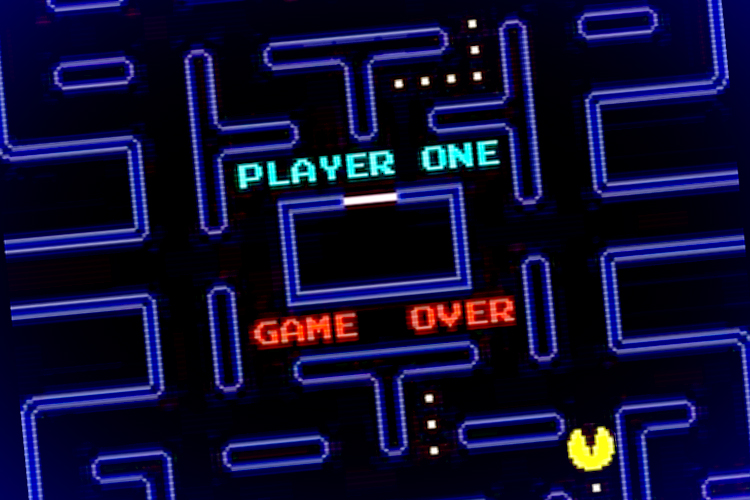
I am taking a broad view of failure here. Examples of
failures include the GAME OVER screen of a traditional arcade game such
as Pac-Man, the failure of a player to complete a level within sixty
seconds, the failure to survive an onslaught of opponents, the failure
to complete a mission in Red Dead Redemption, the failure to protect the
player character in Limbo, the failure to win a tic-tac-toe match
against a sibling, and the failure to win Wimbledon or the Tour de
France. It can also be something as ordinary as the failure to jump to
the next ledge in a platform game like Super Mario Bros., even when it
has no consequences beyond having to try the jump again. Though on
different scales, each of these examples involves t
he player working
toward a goal, either communicated by the game or invented by the
player, and the player failing to attain that goal. Depending on
the goal of a given game, failures can result in either a permanent loss
(such as when losing a match in multiplayer game) or a loss of time
invested toward completing or progressing in a game.
Certainly,
the experience of failing in a game is quite different from the
experience of witnessing a protagonist failing in a story. When reading a
detective story, we follow the thoughts and discoveries of the
detective, and when all is revealed, nothing prevents us from believing
that we had it figured out all along. Through fiction, we can feel that
we are smart and successful, and stories politely refrain from
challenging that belief. Games call our bluff and let us know that we
failed. Where novels and movies concern the personal limitations and
self-doubt of others, games have to do with our actual limitation and
self-doubts. However much we would like to hide it, our failures are
plain to see for any onlooker, and any frustration that we indicate is
easily understood by anyone who watches us.
This Game Is Stupid Anyway
“This
Sport Is Stupid Anyway,” a New York Post headline proclaimed following
the US soccer team’s exit from the 2010 World Cup. Fortunately, we have
ways of denying that we care about failure. We can dismiss a game as
poorly made or even “stupid,” and we understand this type of defense to
be so childish that we will use it only half-jokingly as in the New York
Post headline. This is an opportunistic “theory” about the paradox of
failure: that failure in a specific game is unimportant, because it
requires only irrelevant skills (if any).
Having failed in
Patapon, I searched for “Patapon desert” and learned that I needed a
“JuJu,” a rain miracle which I did not recall having ever heard of. To
my great relief, the search yielded more than 150,000 hits—I was not the
only player to suffer from this problem, and I could safely conclude
that the problem lay with the game, certainly not with me. Our
experience of failure strongly depends on how we assign the blame for
failing. In psychology,
attribution theory explains that we try
to attribute events to certain causes. Harold K. Kelley distinguishes
among three types of attributions that we can make in an event involving
a person and an entity.
Person: The event was caused by personal traits, such as skill and disposition.
Entity: The event was caused by characteristics of the entity.
Circumstances: The event was due to transient causes such as luck, chance, or an extraordinary effort from the person.
If
we receive a low grade on a school test, we can decide that this was
due to (1) person—personal disposition such as lack of skill, (2)
entity—an unfair test, or (3) circumstance—having slept badly, having
not studied enough. This maps well to common explanations for failure in
video gaming: a player who loses a game can claim to be bad at this
specific game or at video games in general, claim that the game is
unfair, or dismiss failure as a temporary state soon to be remedied
though better luck or preparation.
I blamed Patapon: I searched
for a solution, and I used the fact that many players had experienced
the same problem as an argument for attributing my failure to a flaw in
the game design, rather than a flaw with my skills. As it happens, we
are a self-serving species, more likely to deny responsibility when we
fail than when we succeed. A technical term for this is
motivational bias,
but it is also captured in the observation that “success has many
fathers, but failure is an orphan.” After numerous attempts at this
section of Patapon, I was relieved to be allowed to be furious at
the game,
which I could now declare to be so poorly designed that it was not
worth my time. I put the game back in its box, only returning to it
months later. While we dislike feeling responsible for failure, we
dislike even more strongly games in which we do not feel responsible for
failure (a variation on the fact that we do not want to fail in a game,
but we also do not want not to fail). The times I denied responsibility
for failure in Patapon and stopped playing, I precluded the possibility
that I would eventually cross the desert and complete the game. By
refusing the emotional gamble of the game, I was acting in a
self-defeating
way; by refusing to exert effort in order to progress in the game, I
was shielding myself from possible future failures. According to one
theory, our fear of failure leads to procrastination: we perform worse
than we should in order to feel better about our poor performance.
Still,
should we accept responsibility for failure, the question becomes this:
does my in-game performance reflect skills or traits that I generally
value? Benjamin Franklin notably declared chess to be a game that
contains important lessons: “The game of Chess is not merely an idle
amusement. Several very valuable qualities of the mind, useful in the
course of human life, are to be acquired or strengthened by it, so as to
become habits, ready on all occasions . . . we learn by Chess the habit
of not being discouraged by present appearances in the state of our
affairs, the habit of hoping for a favourable change, and that of
persevering in the search of resources.” If we praise a game for
teaching important skills, as Franklin does here, we must accept that
failing in it will imply a personal lack of the same important skills.
That is a question to ask about every game: does this game expose our
important underlying inadequacies, or does it merely create artificial
and irrelevant ones? If a game exposes existing inadequacies, then we
must fear how it reveals our hidden flaws. If, rather, a game creates
new, artificial “art” inadequacies, it is easier to shrug off.
Every
failure we experience in a game is torn between these two arguments
pulling in opposite directions: we can think of game failure as
normal:
as a type of failure that genuinely reflects our general abilities and
therefore is as important as any out-of-game failure. However, we can
also think of it as
deflated: that the importance of any
failure is automatically deflated when it occurs inside a game, since
games are artificial constructs with no bearing on the regular world. My
point is not that these two arguments are true or false, as much as
games work by making these contradictory views available to us: failure
really does matter to us, as can be witnessed in the way we try to avoid
failure while playing and in the way we sometimes react when we do
fail. At the same time, we use deflationary arguments to protect our
self-esteem when we fail, and this gives games a kind of lightness and
freedom that allows us to perform to the best of ability, because we
have the option of denying that game failure matters.
The Meaning of the Art Form
Even
if we often dismiss the importance of games, we also discuss them,
especially the games that we call sports, as something above, something
more pure than, everyday life. In professional sports, games are often
framed as something noble, something that truly reveals the best side of
humans, something larger than life—think only of movies like “Chariots
of Fire,” or the cultural obsession with athletes. In soccer, the Real
Madrid–Barcelona rivalry continues to be played out with a layer of
meaning that goes back to the Franco era. In baseball, the New York
Yankees and the Boston Red Sox have competed for over a century, and
every match between the two teams is seen through that lens and adds to
that history. This extends beyond games involving physical effort. For
example, the legendary 1972 World Chess Championship match in Reykjavik
between US player Bobby Fischer and Soviet Boris Spassky was understood
as an extension of the Cold War. These examples demonstrate that we
routinely understand games as more important, more glorious, and more
tragic than everyday life.
Outside the realm of sports, late eighteenth-century German philosopher Friedrich Schiller went so far as to declare
play central to being human: “Man plays only when he is in the full sense of the word a man, and
he is only wholly Man when he is playing.”
In the 1930s, Dutch play theorist Johan Huizinga noted this duality
between our framing of games as either important or frivolous, by
describing play as “a free activity standing quite consciously outside
‘ordinary’ life as being ‘not serious’, but at the same time absorbing
the player intensely and utterly.” We can talk about games as either
carved-off experiences with no bearing on the rest of the world or as
revealing something deeper, something truly human, something otherwise
invisible.
This type of discussion, of whether game failures, and
games by extension, are significant, has been applied to every art form.
All humans consume artistic expressions from music through storytelling
to the visual arts. We may share the intuition that the arts are
fruitful, inspirational, and important, yet it is hard to demonstrate or
measure such positive effects. In “The Republic,” Plato famously denied
the poet access to his ideal society “because he wakens and encourages
and strengthens the lower elements in the mind to the detriment of
reason.” Compare this with the continued idealization of art as a
privileged way of understanding the world. Games share this predicament
with other art forms: we may sense that they are important, that they
give access to something profound; it is just that we have no easy way
to prove that. Games are activities that have no
necessary
tangible consequences (though we can negotiate to play for concrete
consequences—money, doing the dishes, etc.). This lack of necessary
tangible consequences (productive, negative, or positive) defines games,
but it can also make them seem frivolous. Yet it is precisely because
games are not obviously necessary for our daily lives that we can
declare them to be above the banality of our simpler, more mundane
needs.
Video games have by now celebrated their fiftieth
anniversary, while games in general have been around for at least five
thousand years. The first decade of this century saw the appearance of
the new field of video game studies, including conferences, journals,
and university programs. The defense of video games (as of most things)
tends to grow from personal fascination.
I enjoy video games;
I feel that they give me important experiences;
I associate them with wide-ranging thoughts about life, the universe, and so on. This is valuable to
me, and
I
want to understand and share it. From that starting point, video game
fans have so far focused on two different arguments for the value of
video games:
1. Video games can do what established art forms do.
In this strategy, the fan claims that video games can produce the same
type of experiences as (typically) cinema or literature produce. Are
video games not engaging like “War and Peace” or “The Seventh Seal”? The
downside to this strategy is that it makes video games sound
derivative: if we only argue that video games live up to criteria set by
literature or cinema, why bother with games at all?
2. Video games transcend established categories.
In this strategy, the fan can argue that since we already have film,
why should video games aspire to be film? It follows that we need to
identify and appraise the unique qualities of video games. In its most
austere form, this can become an argument for identifying a “pure” game
that should be purged of influences from other art forms, typically by
banishing straightforward narrative from game design. The softer version
of this argument (which happens to be my personal position) states that
video games should try to explore their own unique qualities, while
borrowing liberally from other art forms as needed.
Again, these
are theories that we use to explain our experiences. When I play video
games, I do experience something important, profound. Video games are
for me a space of reflection, a constant measuring of my abilities, a
mirror in which I can see my everyday behavior reflected, amplified,
distorted, and revealed, a place where I deal with failure and learn how
to rise to a challenge. Which is to say that video games give me unique
and valuable experiences, regardless of how I would like to argue for
their worth as an art form, as a form of expression, and so on. I hope
to bring the experience and the arguments closer to each other.
Two Types of Failure (and Tragedy)
In
my earlier book “Half-Real,” I argued that nonabstract video games are
two quite different things at the same time: they are real rule systems
that we interact with, and they are fictional worlds that the game cues
us into imagining. For example, to win or lose a video game is an
actual, real event determined by the game rules, but if we succeed by
slaying a night elf, that adversary is clearly imaginary. As players, we
switch between these two perspectives, understanding that some game
events are part of the fictional world of the game (Mario’s girlfriend
has been kidnapped), while other game events belong to the rules of the
game (Mario comes back from the dead after being hit by a barrel). This
also means that there are two types of failure in games:
real failure occurs when a player invests time into playing a game and fails;
fictional failure is what befalls the character(s) in the fictional game world.
Real Failure
Like
tragedy in theater, cinema, and literature, failure makes us experience
emotions that we generally find unpleasant. The difference is that
games can be tragic in a literal sense: consider the case of French
bicycle racer Raymond Poulidor, who between 1962 and 1976 achieved no
less than three second places and five third places in the Tour de
France, but in his career never managed to win the race. Tragic.
On
the other hand, if I fail to complete one level of a small puzzle game
on my mobile phone because I have to get off at the right subway stop,
we probably would not describe this as tragic. Not because there is any
structural difference between the two situations—Poulidor and I both
tried to win a game, and we both failed. We had both invested some time
in playing, we had both made an emotional gamble in the hope that we
would end up happy, and we both experienced a sense of loss when
failing. Yet it is safe to say that Poulidor made a larger time
investment and a larger emotional gamble than I did.
Playwright
Oscar Mandel’s traditional but often-cited definition of tragedy
explains the difference between Poulidor and me: “A work of art is
tragic if it substantiates the following situation: a protagonist who
commands our earnest goodwill is impelled in a given world by a purpose,
or
undertakes some action, of a certain seriousness and magnitude;
and by that very purpose or action, subject to the same given world,
necessarily and inevitably meets with great spiritual or physical
suffering” (my emphasis). We reserve the idea of tragedy for events of
some magnitude: my failing at a simple puzzle game does not qualify as
tragic, but Poulidor’s failed lifetime project of winning the Tour de
France does.
Games are meaningful not simply by representing
tragedies, but on occasion by creating actual, personal tragedies. In
“The Birth of Tragedy,” Nietzsche discusses the notion that tragedy adds
a layer of meaning to human suffering, that art “did not simply imitate
the reality of nature but rather supplied a metaphysical supplement to
the reality of nature, and was set alongside the latter as a way of
overcoming it.” Though I am of a more optimistic temperament than
Nietzsche was, I believe that there is a fundamental truth to this idea.
Not in the naïve romantic sense that tragic themes are required for art
to be valuable, but in the sense that painful emotions in art (such as
games) gives us a space for contemplating the very same emotions. To
some it may be surprising to hear that video games provide a space for
contemplation at all, but it is probably more obvious when we consider
that video games are part of an at least five-thousand-year history of
games. Games, in turn, are often ritualistic, repeatable, and laden with
symbolic meaning. Think only of Chess, or Go, or the Olympics. Or,
casting an even wider net, play theorist Brian Sutton-Smith has proposed
that play is fundamentally a “parody of emotional vulnerability”: that
through play we experience precarious emotions such as anger, fear,
shock, disgust, and loneliness in transformed, masked, or hidden form.
Fictional Failure
That
was the real, first-person aspect of failure. We are real-life people
who try to master a game, but most video games represent a mirror of our
performance in their fictional worlds—they ask us to make things right
in the game world by saving someone or fighting for self-preservation.
For example, the game Mass Effect 2 lets the player steer Commander
Shepard through a series of missions, protecting Shepard from harm and
attempting to save the galaxy. The goals of the player are thus aligned
with the goals of the protagonist; when the player succeeds, the
protagonist succeeds. In games with no single protagonist, the player is
typically asked to guard the interests of a group of people, a city, or
a world.
The question is, can we imagine video games where this
is inverted, such that when the player is successful, the protagonist
fails? In the early 2000s, this seemed obviously impossible. As fiction
theorist Marie-Laure Ryan put it, who would want to play “Anna
Karenina,” the video game? Who would want to spend hours playing in
order to successfully throw the protagonist under a train? At the time, I
also believed that such a game was inconceivable. But only a few years
later, there were games in which players had to do exactly that—kill
themselves. Some of these were parodic games that openly subverted
player expectations. Others were tragic in a traditional sense (SPOILER
ALERT): Red Dead Redemption at first seems to let the player be a common
video game hero, but the game can in fact be completed only by
sacrificing the protagonist in order to save his family.
Director Steven Spielberg has argued that video games will only become a proper
storytelling
art form “when somebody confesses that they cried at level 17.” This is
surely too simple: any checklist for what makes a work of art good will
necessarily miss its mark, and works created to tick off the boxes in
such a list are rarely worthy of our attention. Ironically, the fact is
that players often do cry over video games, but mostly over losing
important matches in multiplayer games, being expelled from their guild
in World of Warcraft, and so forth. Players report crying over some
single-player games such as Final Fantasy VII. Note that tragic endings
in games are not interesting because they magically transform video
games into a respected art form, but because they show that games can
deal with types of content that we thought could not be represented in
this form. Tragic game endings appear distressing due to the tension
between the success of the player and the failure of a game protagonist,
but this distress can give us a sense of responsibility and complicity,
creating an entirely new type of tragedy.
Excerpted from “The Art of Failure: An Essay on the Pain of Playing Video Games” by Jesper Juul. Copyright 2013 MIT Press. All rights reserved.